Legacy of Monsters — The Tallest Drone Show | Apple TV
Hello, MacBook Neo
* Indicates author is a member of MAGIC
Meeting information
Date
18 March 2026
Time
4:00 - 5:00 p.m.
Presentation:
• Introduction with Mike Turnbull
• "Notifications on Macs and iPhones" with Ron Sharp
Location:
by Zoom online
MAGIC Minutes for January 2026
by Ron Sharp
The 2026 February Zoom meeting took place on the 15th with approximately 20 members joining. After some brief information from MAGIC President Mike Turnbull and treasurers report from Carol Heimgartner, Ron Sharp gave us a presentation all about Time Machine and backing up our computers. The presentation also included information about retrieving files from a Time Machine backup and about backing up photos separately. You may have been one of the lucky individuals to watch that presentation but it can also be found on the MAGIC website along with the videos of past presentations.
If you have applications you would like to learn more about you are welcome to suggest them to the MAGIC board for future presentations. You are also welcome to volunteer for presenting a pertinent subject.
MAGIC Musings
Greetings MAGIC members,
Our Magic Meeting is March 18th at 4:00 p.m. on Zoom. Ron will be discussing Notifications on MacBooks and iPhones (and iPads) to show us how to control our notifications. I have different notifications set differently on my iPhone, and MacBook so I'm curious which notifications work better. I hope to see you then.
The next meeting in April will be on the 15th.
Mike
MAGIC President
Note: This Software Update section of the newsletter lists the most relevant Apple updates. Not all updates are listed for all products. Additionally, I'll add other pertinent updates on occasion.
Apple releases iOS 26.3.1 for iPhone
by chance Miller, 9to5mac
Apple has released iOS 26.3.1 for iPhone users today. The update likely includes bug fixes and performance improvements.
The update comes two weeks after Apple released iOS 26.3, which added a handful of new features for iPhone. The update introduced a new Transfer to Android system, developed as part of a joint collaboration between Apple and Google. It also added a new a new privacy feature called "limit precise location."
iOS 26.3.1 likely focuses on bug fixes and improvements. Apple is also currently beta testing iOS 26.4, which is expected to be released sometime in late March or early April.
Apple has one more release this week: OS 26.3.1 is here
by Jason Cross, macworld
In summary:
Macworld reports Apple released OS 26.3.1 for iPhones, iPads, and Macs, adding support for the new Studio Display (2026) and Studio Display XDR.
The update enables USB-C iPhone users to connect to Studio Displays for screen mirroring and peripheral access functionality.
This release focuses on hardware compatibility and general bug fixes, with no security updates noted by Apple.
With the upcoming launch of the new Studio Display (2026 model) and Studio Display XDR dropping next week, Apple wants to make sure all your devices are ready. So on Wednesday, it released OS 26.3.1 for iPhones, iPads, Macs strictly so they will be.
iOS/iPadOS/macOS 26.3.1 adds support for these new displays, in addition to various fixes. The release notes are one line: "This update expands external display support to include Studio Display (2026) and Studio Display XDR, along with bug fixes for your iPhone, iPad, and Mac."
We're not sure anyone would buy a $1,599 display for their iPhone, but in case you didn't know, you can plug a USB-C-equipped iPhone directly into a Studio Display to mirror your iPhone's display on the monitor. It also gives your iPhone a connection to other peripherals that may be plugged into your Studio Display, such as a USB-C keyboard.
Apple's security site simply says, "This update has no published CVE entries," so it's likely that there are no security updates in this release.
iOS 26.3.1: How to install
Your iPhone will eventually prompt you to install iOS 26.3.1, but that can take a while, even if you have "Automatic Updates" turned on. To get it now, follow these steps:
Open Settings.
Tap General.
Tap Software Update.
Make sure you have the intended version of iOS selected if necessary, and follow the on-screen instructions.
Find out everything you need to know about iOS 26 in our iOS 26 superguide.
How and why MacBook Neo will excel for most everyday tasks
by William Gallagher, appleinsider
The new MacBook Neo won't come close to competing with the MacBook Air or especially MacBook Pro for video editing and gaming, but it will for the browsing, writing, and music that most users need.
Apple has made its MacBook Neo $500 cheaper than the lowest-cost M5 MacBook Air, and it's done so in part by switching to an iPhone processor. Using the A18 Pro from the iPhone 16 Pro, this is not going to match the M5 in Apple's more expensive laptops.
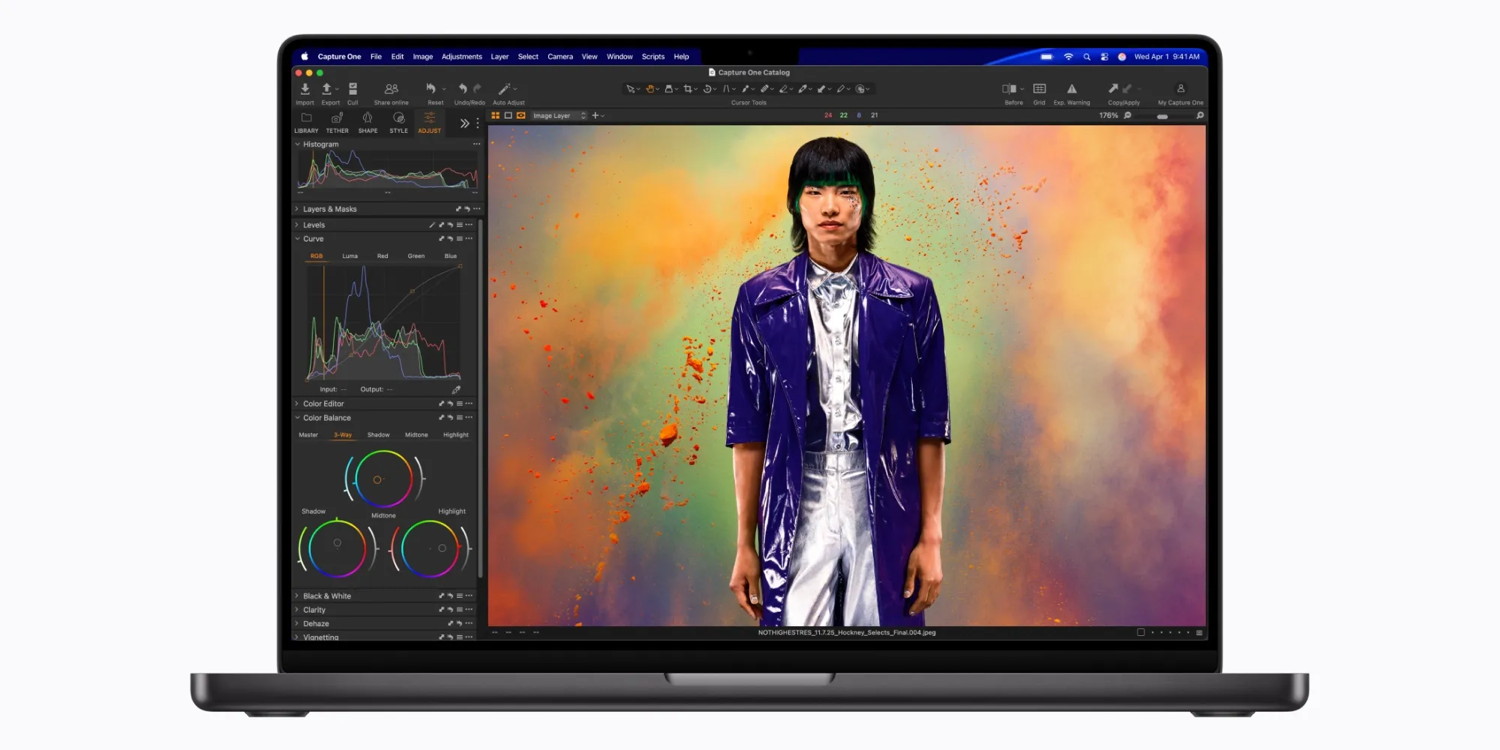
Yet where the MacBook Air and in particular the MacBook Pro are most powerful is in work that requires multi-core use. That's video editing, model rendering, image editing, some audio editing, and certainly scientific work.
MacBook Neo is not the right choice for any of those, but for work that requires single-core processing, it will be. So that's:
Emailing
Browsing
Word processing
Spreadsheets
Playing music
Certain mostly older games
But that was in an iPhone and while the MacBook Neo presents a similar thermal environment, as yet there are no benchmarks for the new laptop. Then, too, there cannot be any real-world use case quantitative analyses until the MacBook Neo begins shipping on March 11, 2026.
Nonetheless, it appears that the MacBook Neo is going to be good for the work that most MacBook owners do most of the time.
There are other issues beyond processor speed, such as storage. The MacBook Neo is only available with either 256GB or 512GB, with the latter adding $100 to the price. At least you get Touch ID for that $100 too.
Users who rely on typically multi-core tasks would need more because they tend to be working with large files like video and audio. Again, though, single-core tasks are more commonly going to involve smaller files like word processor documents.
Then there is a convenience factor in that the entry-level MacBook Neo does not include Touch ID. This is one of those options that if you've had it before, giving it up would be hard.
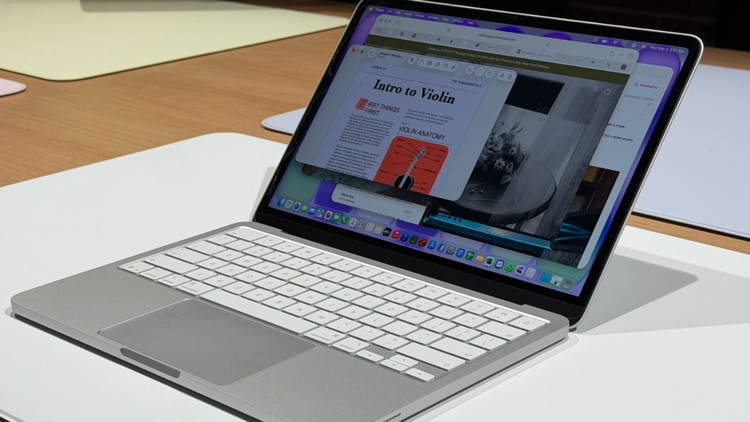
Silver laptop with white keyboard on a desk, screen open showing overlapping windows, including an Intro to Violin lesson with text and a diagram of a violin.
The new MacBook Neo is surely going to be a big hit
But the MacBook Neo is likely to attract new users to the Mac, and those users will not have had Touch ID before.
In short, we're excited about the MacBook Neo as a whole. The Mac hasn't been Apple's leader in a long time — that crown belongs to the iPhone.
It's a great halo machine for folks that have an iPhone and want to get into the Apple ecosystem on the cheap.
MacBook Pros with M5 Pro and M5 Max chips deliver major performance leap
by Rajesh Pandey, cultofmac
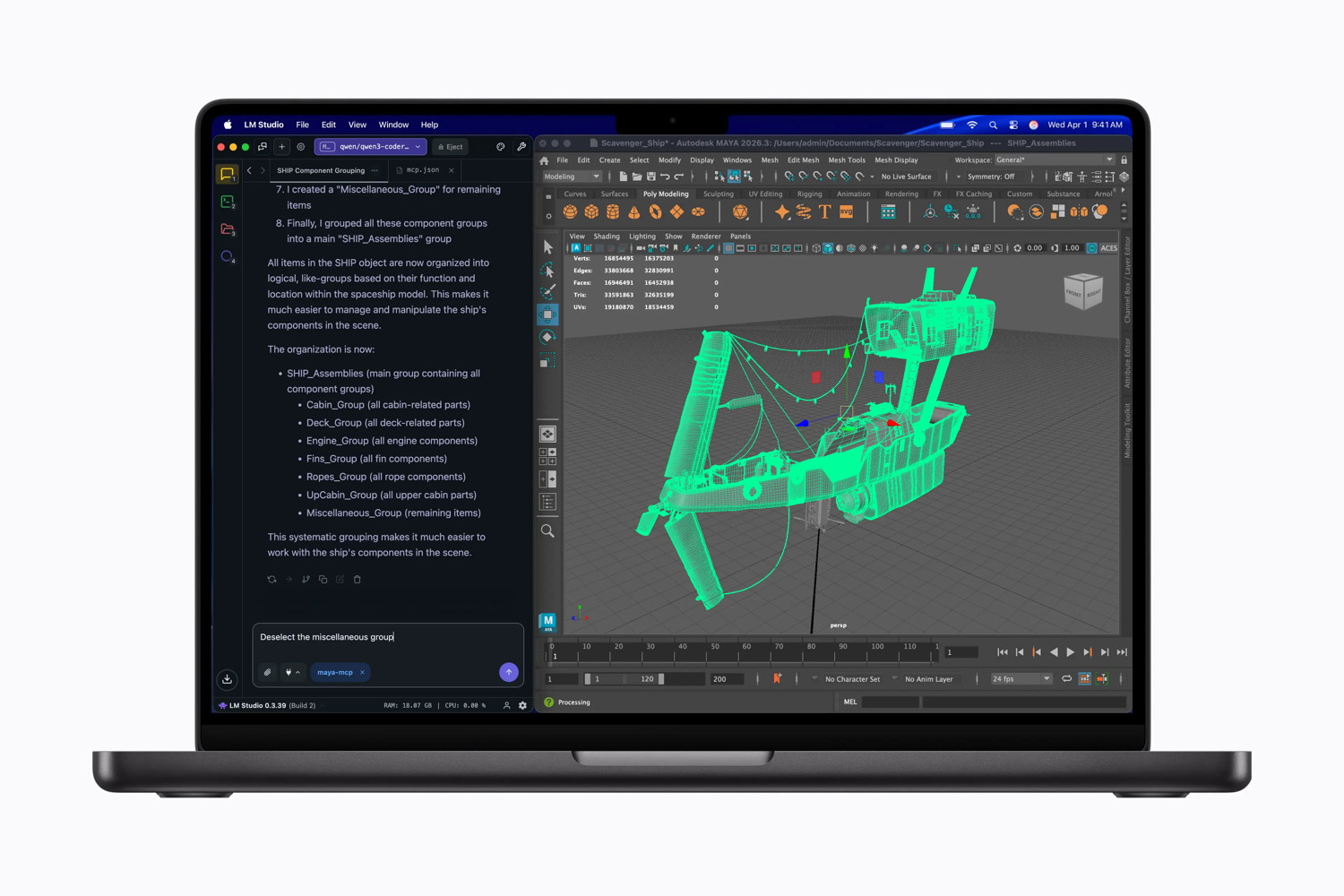
Run local LLMs and powerful 3D modeling software simultaneously on the MacBook Pro.
Apple's long-rumored M5 Pro- and M5 Max-powered MacBook Pros are finally official. The new laptops look visually the same, but pack updated internals that promise a massive leap in performance.
"MacBook Pro with M5 Pro and M5 Max redefines what's possible on a pro laptop, now up to 4x faster than the previous generation," said John Ternus, Apple's senior vice president of hardware engineering, in a press release Tuesday.
New MacBook Pros are all about the M5 Pro and M5 Max
The new MacBook Pros are Apple's first to feature its M5 Pro and M5 Max chips.
Building on last year's M5 chip, they bring a significant jump in performance. They use Apple's new Fusion Architecture and feature a CPU with up to 18 cores. This includes six super cores, which the company says are the world's fastest CPU cores, paired with 12 performance cores. Combined, this delivers a 30% speed boost, according to Apple.
Compared to the M4 Pro/Max, the M5 Pro/Max GPU delivers 50% faster GPU performance. AI performance gets an even bigger boost, with up to four times faster LLM prompt processing. The new Neural Engine is faster and more power-efficient, enabling it to run on-device AI tasks faster.
Apple claims major speed boosts, even over last year's M4 Pro models:
Up to 7.8x faster AI image generation performance when compared to MacBook Pro with M1 Pro, and up to 3.7x faster than MacBook Pro with M4 Pro.
Up to 6.9x faster LLM prompt processing when compared to MacBook Pro with M1 Pro, and up to 3.9x faster than MacBook Pro with M4 Pro.
Up to 5.2x faster 3D rendering in Maxon Redshift when compared to MacBook Pro with M1 Pro, and up to 1.4x faster than MacBook Pro with M4 Pro.
Up to 1.6x faster gaming performance with ray tracing in games like Cyberpunk 2077: Ultimate Edition when compared to MacBook Pro with M4 Pro.
Memory bandwidth sees a notable jump as well — up to 307GB/s on the M5 Pro and 614GB/s on the M5 Max. This should significantly benefit demanding workloads like 3D rendering, large code compilation and AI model inference.
Storage and connectivity get a bump, too
vBesides a faster chip, Apple uses faster NAND storage on its new MacBook Pros, with speeds reaching up to 14.5GB/s. More importantly, it bumped the base storage across the board. M5 Pro MacBook Pros now ship with 1TB storage as standard, while Max models will come with 2TB storage.
Apple's N1 chip also makes it over to its Pro laptop, handling Wi-Fi and Bluetooth. The new laptops support Wi-Fi 7 and Bluetooth 6, the latest connectivity standards.
Despite the speed upgrades, battery life remains unchanged. The company says the new laptops still offer up to 24 hours of battery life.
Preorders for the M5 Pro and M5 Max MacBook Pro open this Wednesday. Retail availability will begin on Wednesday, March 11.
Unfortunately, the upgrades come with a higher price tag. The 14-inch MacBook Pro with M5 Pro starts at $2,199, while the 16-inch model starts at $2,699. Models equipped with the M5 Max are priced at $3,599 for the 14-inch version and $3,899 for the 16-inch. That's a $200 price bump across the lineup.
Apple launched seven new products announced, including iPhones, iPads, Macs, and more.
iPhone 17e and M4 iPad Air
On Monday, Apple started off the week with two product announcements.
The $599 iPhone 17e replaces the iPhone 16e with 2x the storage, faster performance, and the magic of MagSafe. There's also a new "soft pink" color in addition to black and white options.
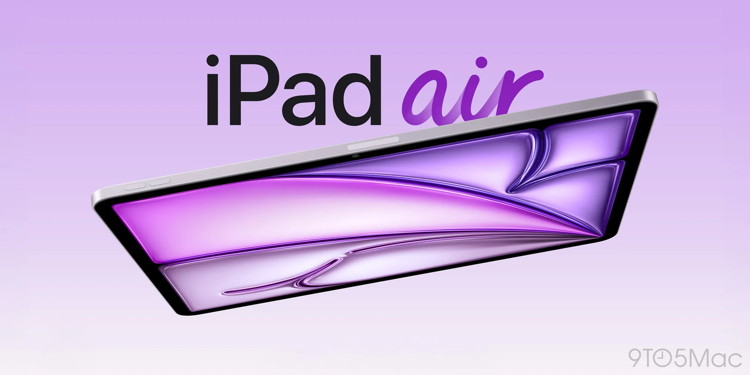
Apple also announced the 11- and 13-inch M4 iPad Air. Faster performance compared to the M3 version and more RAM thanks to an increase to 12GB make it a better version of Apple's mid-tier tablet.
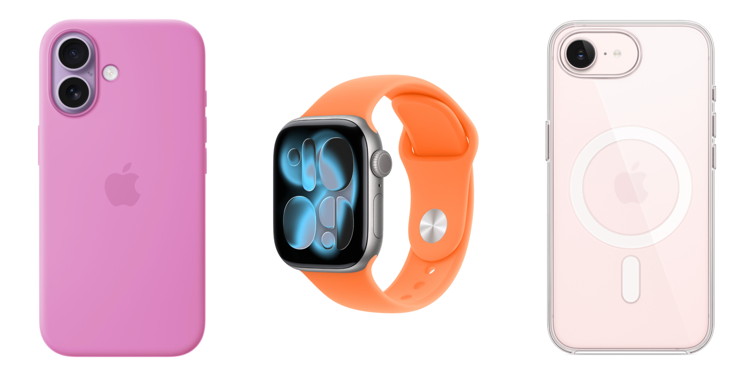
Apple also released a spring color refresh for iPhone accessories and Apple Watch bands.
M5 MacBook Air, M5 Pro/Max MacBook Pro, and two Studio Display releases
On Tuesday, Apple leaned in to the momentum with even more announcements.
Apple replaced the 13- and 15-inch M4 MacBook Air with the new M5 MacBook Air, now with double the base storage and double the peak storage, updated Wi-Fi and Bluetooth, and faster SSD speeds.
M5 MacBook Air vs M4 MacBook Air: What's actually changed?
Apple also replaced the 14- and 16-inch M4 Pro/Max MacBook Pro with the new M5 Pro/Max MacBook Pro. Base storage now starts at 1TB, up from 512GB, SSD speeds are 2x faster, and the base version now supports up to 64GB (with higher-end models supporting 128GB RAM based on configuration). Wi-Fi 7 and Bluetooth 6 replace Wi-Fi 6E and Bluetooth 5.3.
While Apple discontinued the Pro Display XDR, it released not one but two new monitors: the new Studio Display and the first-ever Studio Display XDR.
MacBook Neo is Apple's most affordable laptop
On Wednesday, Apple announced the all-new MacBook Neo. This is the rumored low-power laptop that is the first to run on a chip previously used in an iPhone.
MacBook Neo costs just $599, comes in four colors, and features Apple's A18 Pro chip previously used in the iPhone 16 Pro. That price gets you 256GB storage and 8GB RAM. An extra $100 doubles storage to 512GB and adds Touch ID. There are no RAM upgrade options.
Hands-on with Apple's new MacBook Neo [Gallery]
The $599 MacBook Neo fine print: RAM limits, USB-C trade-offs, and Touch ID tiers
MacBook Neo has the most recycled content of any Apple product
MacBook Neo is available for pre-order now and hits stores on Wednesday, March 11.
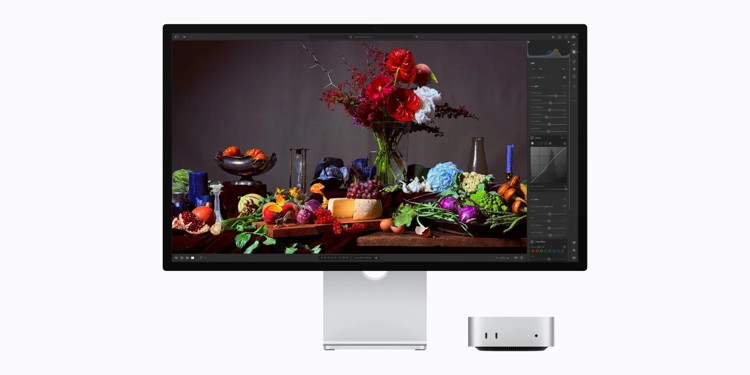
Apple today announced its new external display lineup, with an updated Studio Display and the introduction of the brand new Studio Display XDR. The new Studio Display features a 12-megapixel Center Stage camera, and Thunderbolt 5 support.
The new Studio Display is on sale starting tomorrow, priced at $1599 and $1499 for education.
The new Studio Display is a straight replacement for the previous-generation model, on sale at the same price point. Meanwhile, the Studio Display XDR is the successor to the Pro Display XDR, and comes in at $3299.
Unfortunately, it seems most of the shiny new features are reserved for the higher-end XDR model. However, the new Studio Display gets a better webcam, and an updated six-speaker sound system with deeper bass. The 'studio quality' three-microphone array appears unchanged compared to the previous generation.
The actual panel itself also seems to be unchanged; it is still 5K 60Hz at 27-inches. Apple quotes the same technical specs, with the panel supporting P3 wide color at 600 nits brightness. Whereas, the XDR gets 120Hz high-refresh rate and local dimming zones.
The new Studio Display is available in both standard glass and nano-texture glass options (a $300 upsell). It comes with a tilt-adjustable stand by default, or you can get a fancier height-adjustable stand for $400 extra.
In the box, you get the display itself, the stand, and a 1-meter Thunderbolt 5 cable. You can use that single cable to plug in a MacBook to charge and drive the screen. The Studio Display itself has 4 ports on the back, two Thunderbolt 5, and two USB-C. With the correct daisy-chaining configuration, you can run up to 4 Studio Displays off a single port on your Mac.
iOS 26 adds new 'Preview' app on iPhone, here's how I'm using it
by Ryan Christoffel, 9to5mac
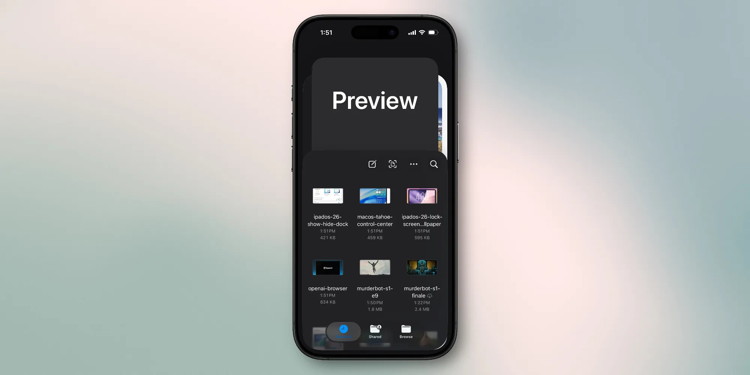
iOS 26 brought two brand new apps to the iPhone's Home Screen, here's how I'm using one of them: the Preview app.
Preview app expands beyond the Mac with iOS 26 and iPadOS 26
Apple adds new features to iOS all the time, but it's not as common that we get brand new system apps. In iOS 26 though, there are two: Preview and Apple Games.
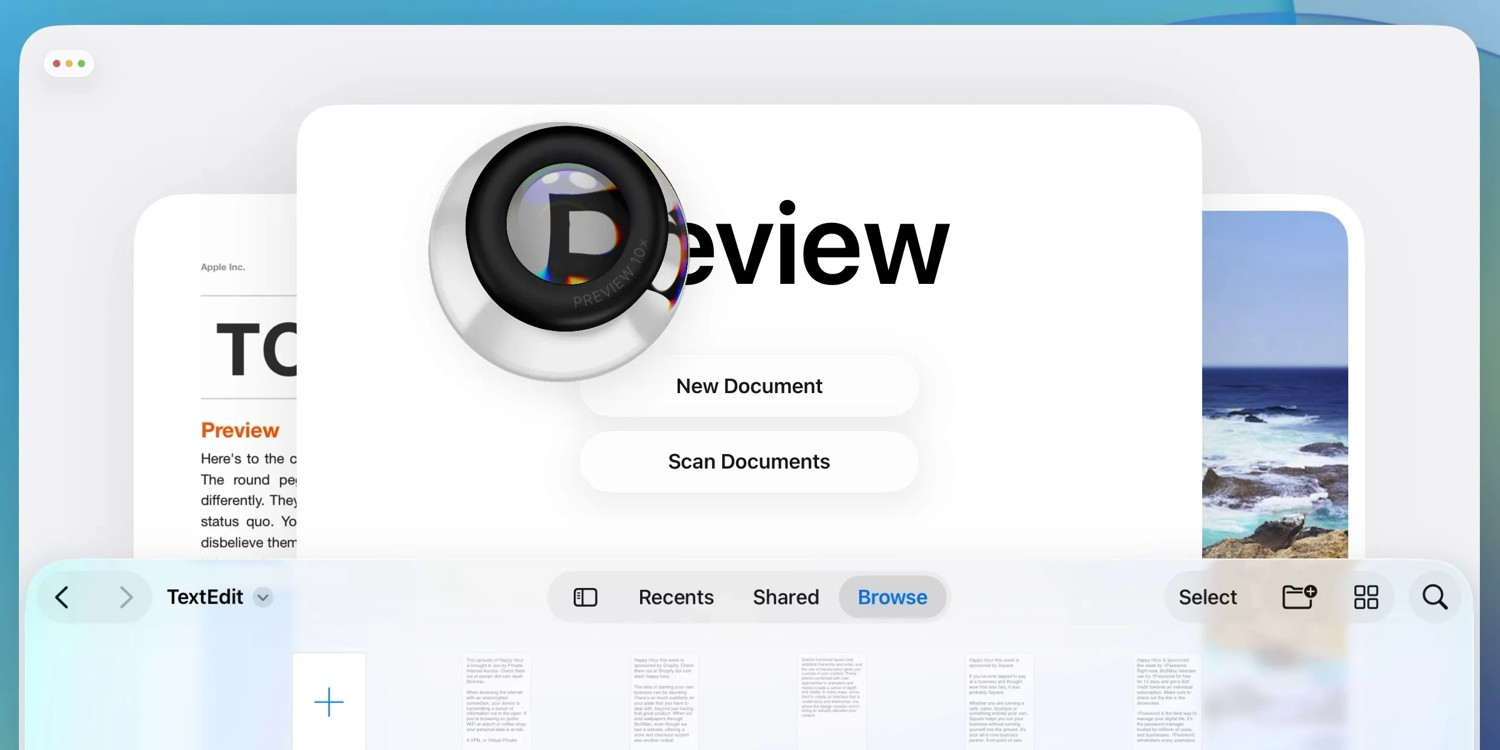
The Preview app is inspired by Preview on the Mac, offering a dedicated hub for PDF and image viewing and edits. It's now available on both iPhone and iPad via iOS 26 and iPadOS 26.
Here's how Apple describes the new app:
Preview comes to iPad, giving users a dedicated app for creating a quick sketch, as well as viewing, editing, and marking up PDFs and images with Apple Pencil or by touch. Users can access all of their PDFs and images in the Files app right from Preview, create an empty page, use Apple Pencil to draw and write on it, and use AutoFill to quickly fill out PDF forms.
I've been using Preview since the first iOS and iPadOS 26 betas last June. I initially wasn't sure how much value could be added to what the Files app already offered, but I've grown to appreciate having Preview available as a standalone app.
What I'm using Preview for today
Before iOS 26, PDFs and images saved inside the Files app would launch right in that same app. Most other file types, however, open in separate dedicated apps. For example, documents for Pages, Keynote, and Numbers are all saved inside Files, but launch inside those separate apps.
I've found several advantages to using the separate Preview app in iOS 26.
One is that it makes it easier to manage multiple documents on your iPhone and iPad.
I've had to deal with a lot more documents than usual lately as part of a home buying process. And in iOS 26, it's been easier to access and view those various PDFs right on my iPhone.
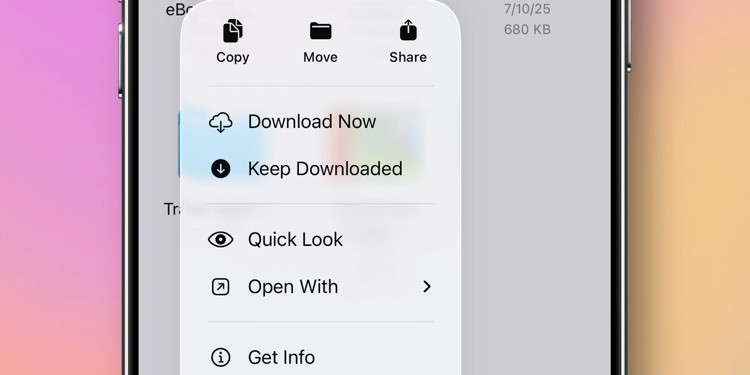
This is partly due to the Files app's 'Quick Look' function.
Even though a PDF will now open in Preview by default, you can also view it directly in Files via Quick Look.
This means if you have several PDFs you're juggling, it's easy to have one open in Preview and another open in Files—thus letting you quickly jump back and forth via the app switcher. Essentially, it makes multitasking feel less slow and clunky.
I've appreciated Preview on iPad too, especially combined with the new iPadOS 26 windowing system.
In iPadOS 26 I have unique window setups for the Preview and Files apps. I keep Preview in a large window that occupies most of the left side of the screen, while Files lives in a narrow window on the right side. This lets me easily view a PDF in Preview while navigating my Files database at the same time. It's a great setup for hopping into different documents more quickly.
Preview offers a more expansive and accessible set of tools for editing PDFs too. It feels much closer to what the Mac has long offered via its Preview app. I've been using new and existing features to add and remove pages from PDFs, sign documents with Markup, fill out PDFs, and more.
The greater flexibility of being able to use Preview and Files in tandem, along with a beefed up toolset, has made Preview a welcome addition on both iPhone and iPad.
Apple's new iPhone 17e is now available for pre-order
by Zac Hall, 9to5mac
Apple's has opened up pre-orders for the newest member of the iPhone 17 lineup. The iPhone 17e is now available to purchase after first being announced on Monday. Apple will officially release the latest iPhone on Wednesday, March 11.
iPhone 17e features 2x storage, faster performance, magic of MagSafe
Compared to iPhone 16e, the new iPhone 17e features faster performance with Apple's A19 chip and C1X modem, next-generation portrait photography with Focus and Depth Control, 3x better scratch resistance with Ceramic Shield 2 front glass, and MagSafe support with 2x faster wireless charging.
iPhone 17e starts at $599 for 256GB storage, doubling the base storage compared to the iPhone 16e. Customers who need more local storage can choose the 512GB model for $799, a $100 price decrease for the same amount of storage on the iPhone 16e.
iPhone 17e is available in three colors: black, white, and a new soft pink.
Protect your new iPhone 17e
Apple sells three case options for iPhone 17e: iPhone 17e Silicone Case with MagSafe ($49), iPhone 17e Clear Case with MagSafe ($49), and Beats iPhone 17e Case with MagSafe ($45). The iPhone 17e Silicone Case with MagSafe features lanyard cutouts for Apple's Crossbody Strap accessory or other lanyards.
Now with MagSafe support, iPhone 17e is also compatible with Apple's FineWoven Wallet, and you can unlock fast-charging with Apple's 20W USB-C power adapter to get 50% battery in just 30 minutes.
The new iPhone 17e replaces the iPhone 16e that Apple introduced a year ago. Apple still sells the iPhone 16 and iPhone 16 Plus.
Do you plan to pre-order the new iPhone 17e? How does Apple's lower-cost iPhone 17e compare to the competition in your opinion? Let us know in the comments.
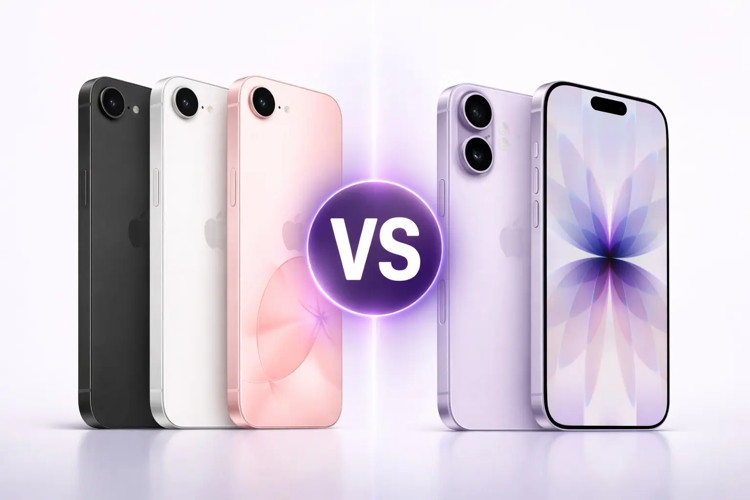
iPhone 17 vs. iPhone 17e comparison: Here's the smarter pick
by Rajesh Pandey, cultofmac
Apple's iPhone 17 lineup has a new, more affordable addition: the iPhone 17e. It might look different from the rest of the family, but under the hood, it shares many of the same core components.
If you are trying to decide between the iPhone 17 and iPhone 17e, here's the smarter option.
Macworld reveals that Apple Notes contains numerous hidden features beyond basic note-taking, including AI-powered tools and advanced organization capabilities.
Key features include document scanning, handwritten note search, ChatGPT integration via Compose tool, and Writing Tools for text refinement.
Users can enhance productivity through collaboration features, note linking, hashtag sorting, customizable shortcuts, and security options like Face ID locking.
Apple Notes has long been the go-to app for iPhone users who need a quick place to store everyday text. Whether you're ranting, ideating, or drafting a speech, the built-in app lets you start typing instantly.
While basic text input is often enough, Apple Notes can do far more than that. To get the most out of Notes, here are 10 lesser-known features worth mastering.
Apple's Visual Intelligence just got a major upgrade in iOS 26, and honestly, it's about time. The original feature launched in iOS 18.2 as a Camera Control button that could describe your surroundings and translate text. Now Apple has extended Visual Intelligence in iOS 26 to work with content that's on your iPhone. Not a minor tweak, a shift in how you act on what you see, from shopping finds to event planning.
What this means for the Apple ecosystem
This is not just about smarter screenshots, but a step toward context-aware computing across Apple devices. As one element of Apple Intelligence, Visual Intelligence is part of Apple's on-device AI push alongside upgraded Siri capabilities, writing aids, and closer cross-device coordination.
There is a greater range in what the system can recognize. Apple left it out of the announcement, yet Visual Intelligence can swiftly spot and identify new kinds of objects. It can now identify art, books, landmarks, natural landmarks, and sculptures, in addition to the animals and plants it was able to provide information on before. This applies to both camera views and screenshots, with on-device processing for instant results.
Developers are in the mix, too. Apple opened up Visual Intelligence through an upgraded App Intents API for app integrations, which sets up third-party apps to tap into visual analysis. Picture a fitness app pulling a routine from a screenshot, a cooking app building a grocery list from a recipe image, a productivity tool parsing a photographed whiteboard.
The hardware limits are practical, with the update only available in iPhone 15 Pro and later, select M1+ iPads, and M1+ Macs. Visual Intelligence needs serious compute, so it is limited to devices with Apple's best silicon. This is not artificial scarcity, but on-device processing really does need that muscle for fast, private results.
The bottom line? iOS 26 was released on September 15, and Visual Intelligence with screen content analysis is the sort of feature that sounds small at first, then quietly rewires your habits. It changes how you think about the path from seeing something to doing something about it.
This feels like the start of interfaces that respond to context and intent, not just commands. Your device does not just store what you see, it helps you act on what matters. Which is the whole point of a digital assistant, right?
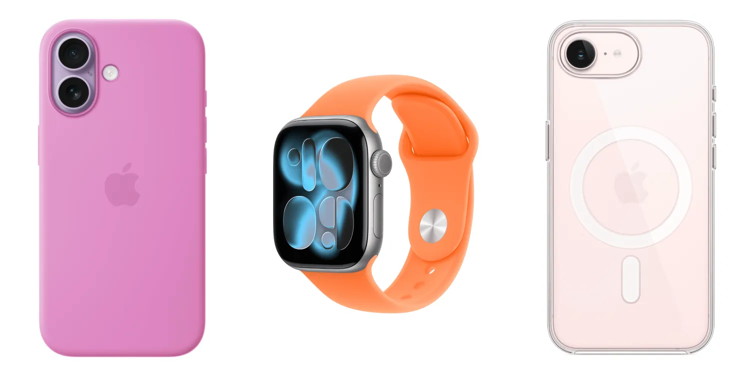
Apple debuts its 2026 spring accessory collection for iPhone and Apple Watch
by Zac Hall, 9to5mac
The M4 iPad Air and new iPhone 17e aren't the only Apple product announcements happening today. Apple also just refreshed its Apple Watch band and iPhone case lineup with a variety of spring colors.
Coming to Apple TV: All the upcoming shows, series, movies, trailers, and more
by macworld staff
In summary:
Macworld reports that Apple TV+ is expanding its content library throughout 2026 with diverse programming including returning favorites like Ted Lasso season 4 and For All Mankind season 5.
Notable upcoming projects feature major stars like Scarlett Johansson in Bride, Florence Pugh in Dolly, and Ryan Reynolds in Mayday, spanning genres from sci-fi to comedy.
The streaming service costs $12.99 monthly with various free trial options available, and subscribers can access content without requiring an Apple TV set-top box.
Apple's list of currently available content for Apple TV continues to grow, and so does the list of upcoming projects in the works.
Some of these projects have been officially announced and acknowledged by Apple, while others have been reported by the Hollywood press.
We've divided this list in two: Coming Soon is a list of shows and films for which Apple has given an official release date or release window, and Further Out compiles content that is still in production or perhaps haven't even begun yet.
Updated February 26, 2026: New announcements and some new tips from Deadline give us a clearer picture of some upcoming Apple TV projects. Our list has been updated accordingly.
Did you hear about the Apple computer that never went to sleep?
It was an insomniMac!
The first computer can be traced back to Adam and Eve. It was an Apple that barely had any memory. One byte, and everything crashed.
(It probably ran on Python)
Filtering out bad emails *
by Robert Elphick, MAGIC
Recently three new email types have been issued, there endings include:
.store
.space
.shop
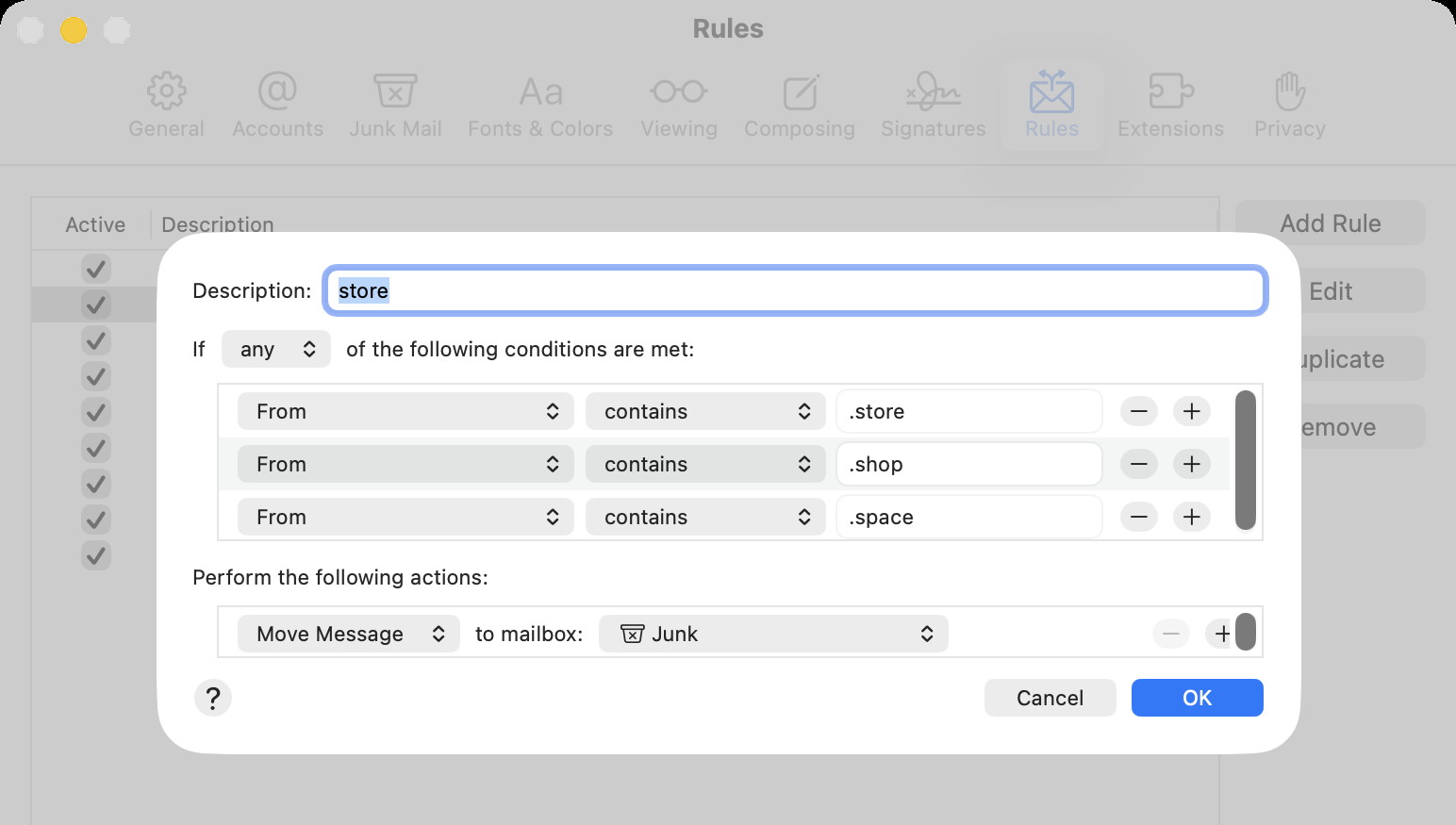
They all are being used to advertise stuff that you do not want. I recommend that you move them into the Junk/Trash with the Mail Rules.
In MAIL, select the menu 'Mail Settings' and then click on the Rules icon near the top right corner.
Then select the 'Add Rule' option and then fill it out like this:
This should now put all three types of these advertisement into the Junk mail box. You may opt to put them into the Trash mailbox instead.
Malware Examples *
by Ron Sharp and Robert Elphick, MAGIC *
Here are some tips if you do respond to a scam email. Call your bank. Put a stop payment on your charge card if it is involved. Change your account password for whatever accounts are involved. If it's a PayPal account, log into that account and change the password. If you use a bank account online change that password. You can also set up email "rules" to block email from the sender if their email address shows. If you use Apples Mail app you'll find the "Rules" options in the Mail app Settings. You should also change the password to your email account that the scam email came to.
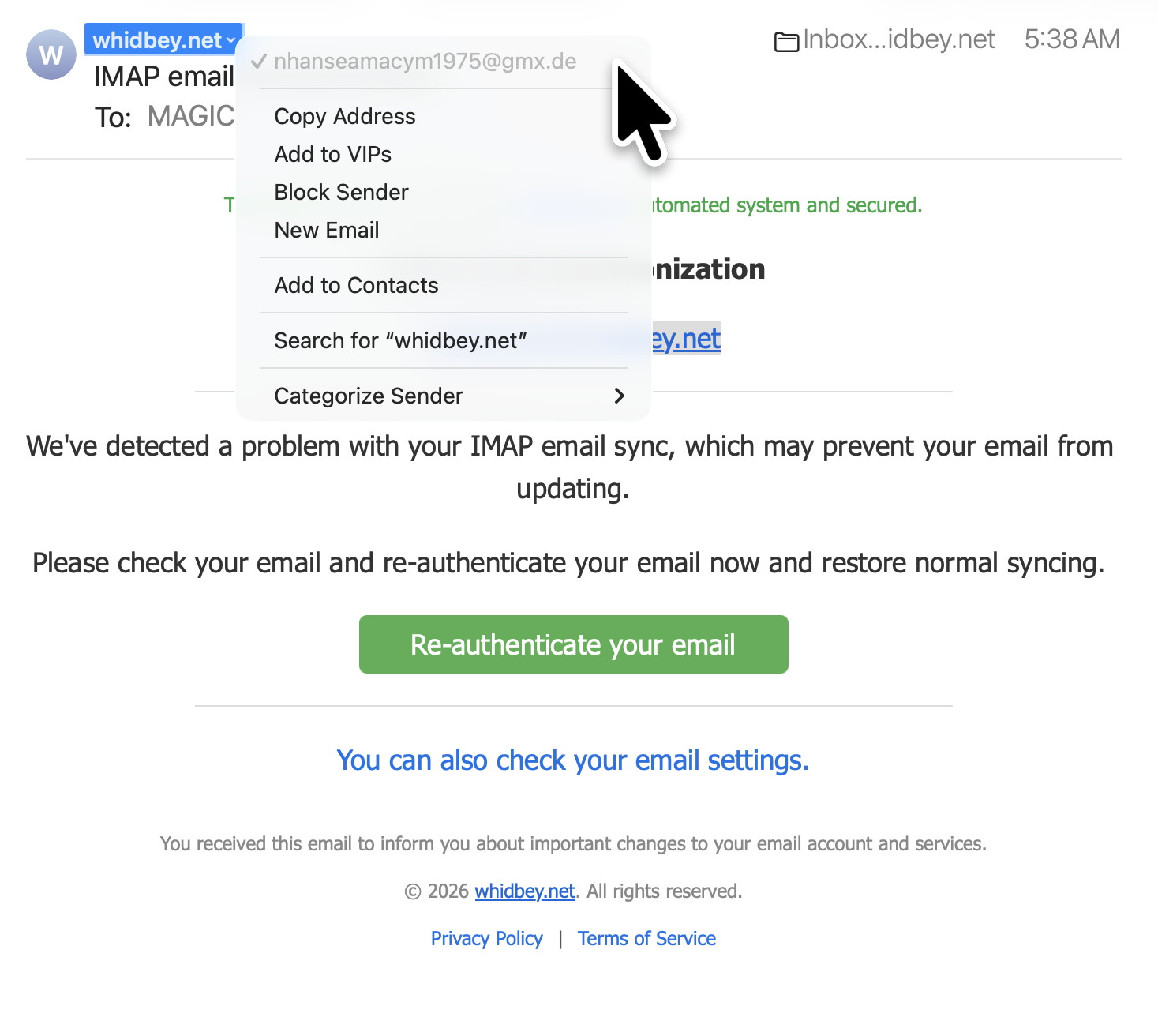
Says it is from Whidbey.net. but selecting whidbey.net shows the real sender ....
....is really from Italy! DO NOT CONTACT.
Here is another one - this time from Germany! DO NOT CLICK.
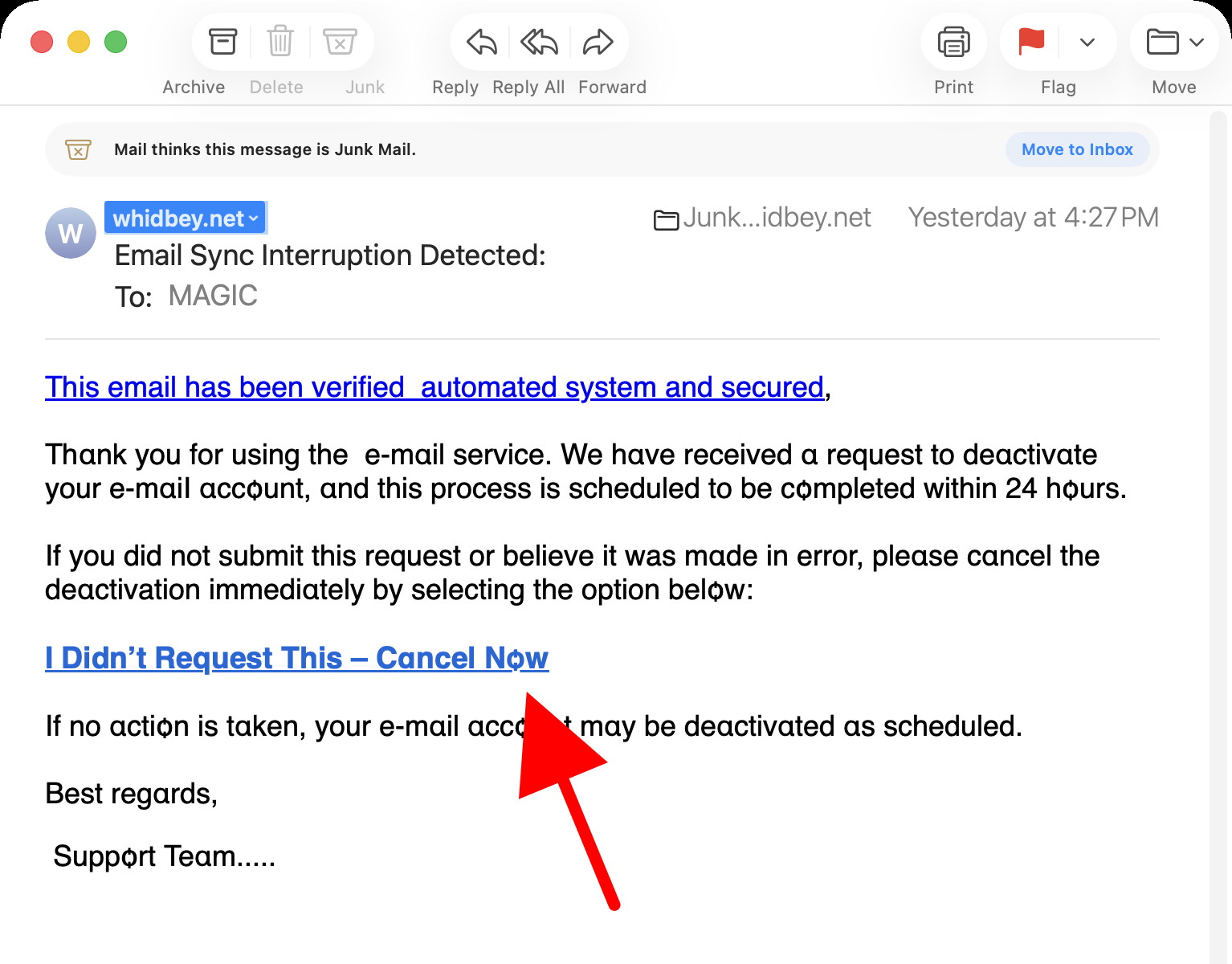
Here is one that used a strange version of the letter 'o' ,br />Not from WhidbeyTel DO NOT CLICK.
Supposed to be from WA but has a Tennessee area code in the phone number The URL as bad too. DO NOT CLICK.
SCAM - Note the from address (red arrow) Also we do not have an IMAP account DO NOT CLICK.
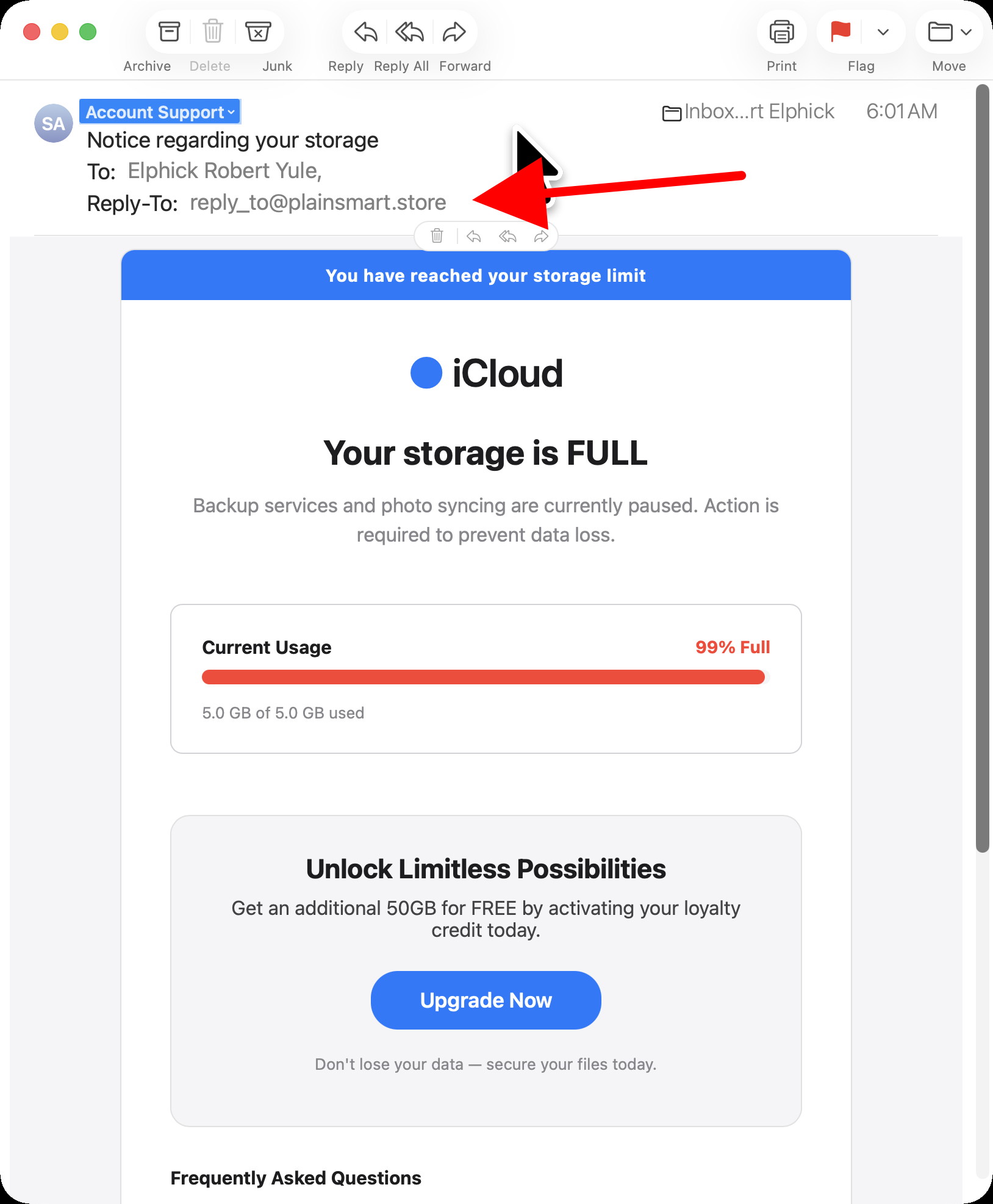
SCAM - Note the Reply-To address (red arrow) DO NOT CLICK.
Internet Crime
Any one bothered by internet criminal activity should report it to the Federal Bureau of Investigation Internet Crime Complaint Center (IC3) at this web page. This includes phishing, malware, spoofing, any demand for money.
Sell or Swap
by MAGIC
Got something you would like to sell or give away? Need something second hand or out of date? Contact MAGIC at this email .
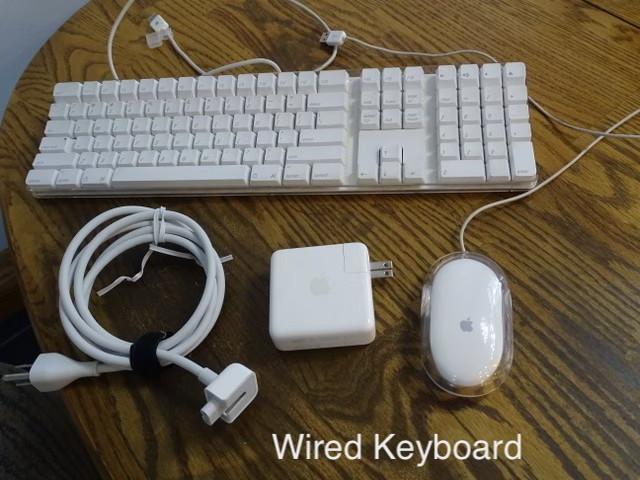
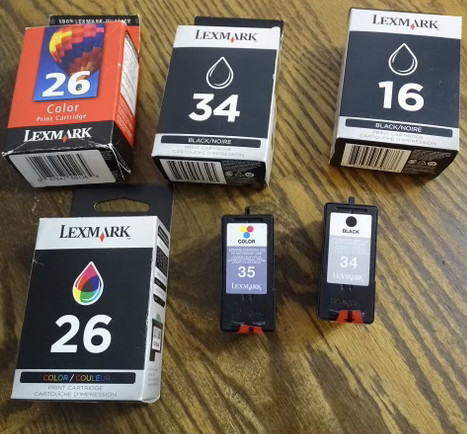
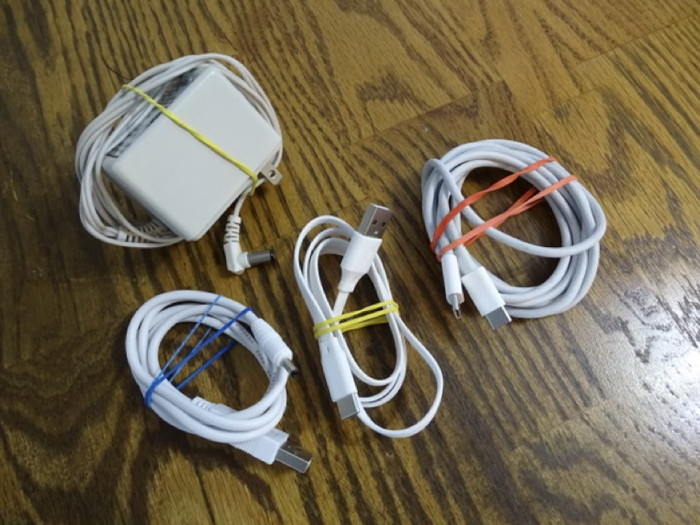
FREE STUFF
Also A LOT of blank floppy discs (3.5x3.5), ZIP discs and CDs.
And a ZIP drive and a floppy drive.
The March MAGIC Zoom presentation is on Notifications. So what does that all include? Well, oops, hold on, I got a message for an email. Well I'll get to that in a minute …oh, wait a minute, I got a notice for a text message. Let me just respond to this real quick.
Okay, where was I? Notifications, right. There are numerous notifications that.. oh, hold on another notification and it's covering part of my document. Let me just get this out of the way.
Wait, what was that "ding" sound about? Well, I'll ignore it. Now back to notifications. There are numerous notifications that are always getting our attention. Sometimes we want the notification. Like when we have an appointment that we don't want to be late for. But many other times it's something insignificant, or something we don't care about. There are 7 to 9 notification settings for each application and there are about 35 or more apps to set notifications for, depending on how many apps you've added.
So let's see what we can do to simplify the notifications. Join the Zoom meeting this month!
But, if you're not available for the zoom meeting, the presentation video will be put on the MAGIC website a few days after the meeting.
Legacy of Monsters — The Tallest Drone Show | Apple TV
Hello, MacBook Neo
MAGIC, the Macintosh Appreciation Group of Island County, serves people who use Macintosh computers, software and peripherals. Our goal is to share information and get answers to questions to make us more productive with our use of technology. Our monthly meetings give us a chance to discuss computer problems and share ideas with other Mac users, feature speakers on specific topics, and to keep apprised of Apple news.